> For the complete documentation index, see [llms.txt](https://docs.ilert.com/llms.txt). Markdown versions of documentation pages are available by appending `.md` to page URLs; this page is available as [Markdown](https://docs.ilert.com/ai-and-agents/ai-features/global-search-enhanced-by-ilert-ai/bulk-resolving-similar-alerts.md).
# Bulk resolving similar alerts
Bulk‑resolve similar alerts using ilert AI via global search to streamline cleanup and reduce alert handling time.
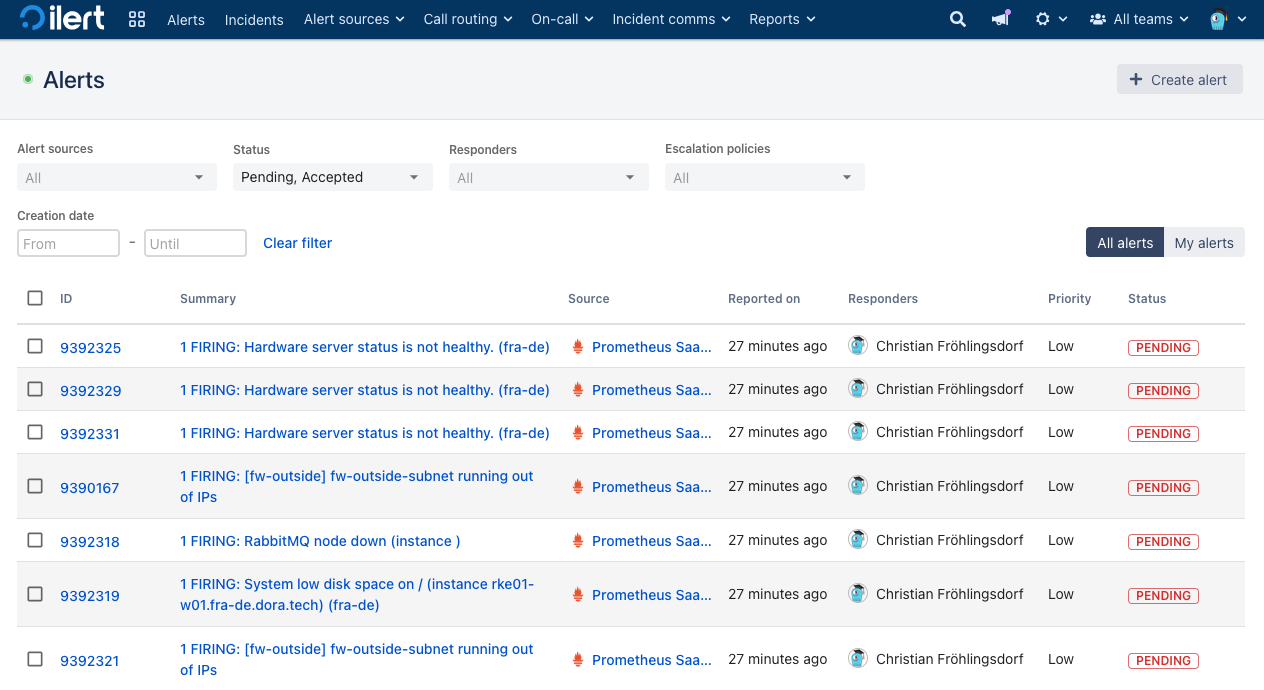
If you have not configured grouping for your alert sources you might end up with a view like this:
Let's say you wish to clean / resolve a bulk of some specific alerts that might be duplicates in this list.
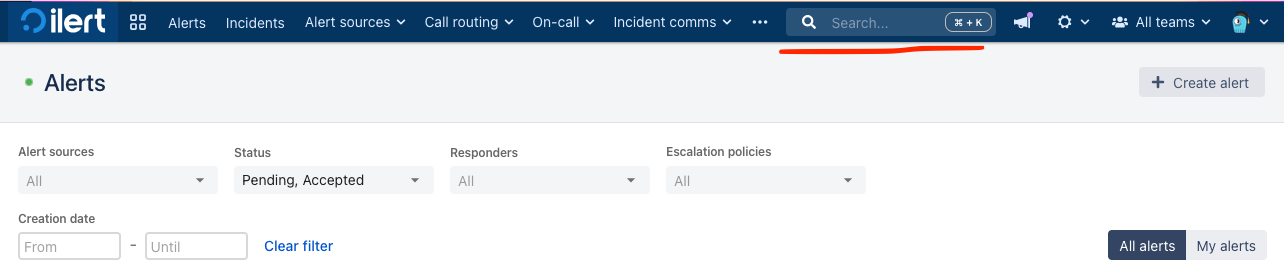
Open the search by clicking on its icon at the top bar or press CTRL/CMD + K. Then enter your desired search term aka alert summary you wish to filter for.
**Click** on a matching alert in the search results.
{% hint style="info" %}
If your result hits an already resolved alert, try again, or widen your search in the category to find a PENDING alert. You may also of course just click on such an alert in the list view if you can identify it directly.
{% endhint %}
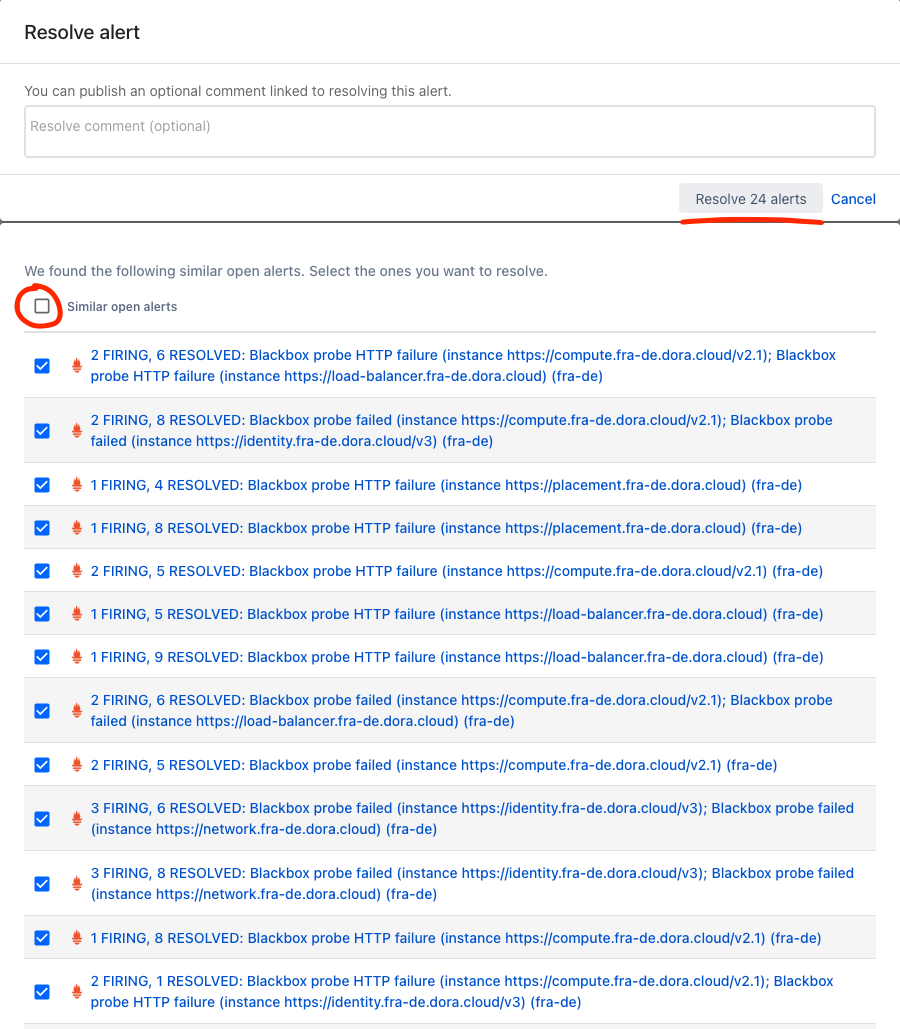
Click on **Resolve** to open the resolve context menu. Wait a second to let ilert AI fetch similar alerts, they will appear at the bottom of the menu.
Use the **Select all** option to select all similar alerts (if necessary, use the individual checkbox to remove single alerts that might not exactly match your use-case). Click on **Resolve x alerts** to bulk resolve all selected alerts.
Wait a short moment and you should see a confirmation message of your operation.
Looking at the alert list again, we can see that only the specific "blackbox probe failed" alerts have been resolved.
Confirming our intended operation.
{% hint style="success" %}
Note that we recommend configuring alert grouping for your alert sources, especially for monitoring tools that tend to be more noisy or miss grouping operations themselves. You can find a guide here: [../../../alerting/configure-alerting/alert-sources/#event-grouping](/alerting/configure-alerting/alert-sources.md#event-grouping) and for more complex or custom use cases we highly recommend checking out ilert AI alert grouping: [../../../alerting/configure-alerting/alert-sources/using-ilert-ai-for-alert-grouping.md](/alerting/configure-alerting/alert-sources/using-ilert-ai-for-alert-grouping.md)
{% endhint %}
---
# Agent Instructions
This documentation is published with GitBook. GitBook is the documentation platform designed so that both humans and AI agents can read, navigate, and reason over technical content effectively. Learn more at gitbook.com.
## Querying This Documentation
If you need additional information that is not directly available in this page, you can query the documentation dynamically by asking a question.
Perform an HTTP GET request on the current page URL with the `ask` query parameter, and the optional `goal` query parameter:
```
GET https://docs.ilert.com/ai-and-agents/ai-features/global-search-enhanced-by-ilert-ai/bulk-resolving-similar-alerts.md?ask=&goal=
```
`ask` is the immediate question: it should be specific, self-contained, and written in natural language.
`goal` is optional and describes the broader end goal you are ultimately trying to accomplish on behalf of the user. GitBook uses it to tailor the answer towards what is most useful for that goal.
The response will contain a direct answer to the question and relevant excerpts and sources from the documentation.
Use this mechanism when the answer is not explicitly present in the current page, you need clarification or additional context, or you want to retrieve related documentation sections.