> For the complete documentation index, see [llms.txt](https://docs.ilert.com/llms.txt). Markdown versions of documentation pages are available by appending `.md` to page URLs; this page is available as [Markdown](https://docs.ilert.com/alerting/working-with-alerts/alert-source-logs.md).
# Alert source logs
Inspect the raw events an alert source received, and what ilert did with each one.
The alert source log is the record of what ilert actually received. When an event does not produce the alert you expected, this is the only place that says why — the API response never does.
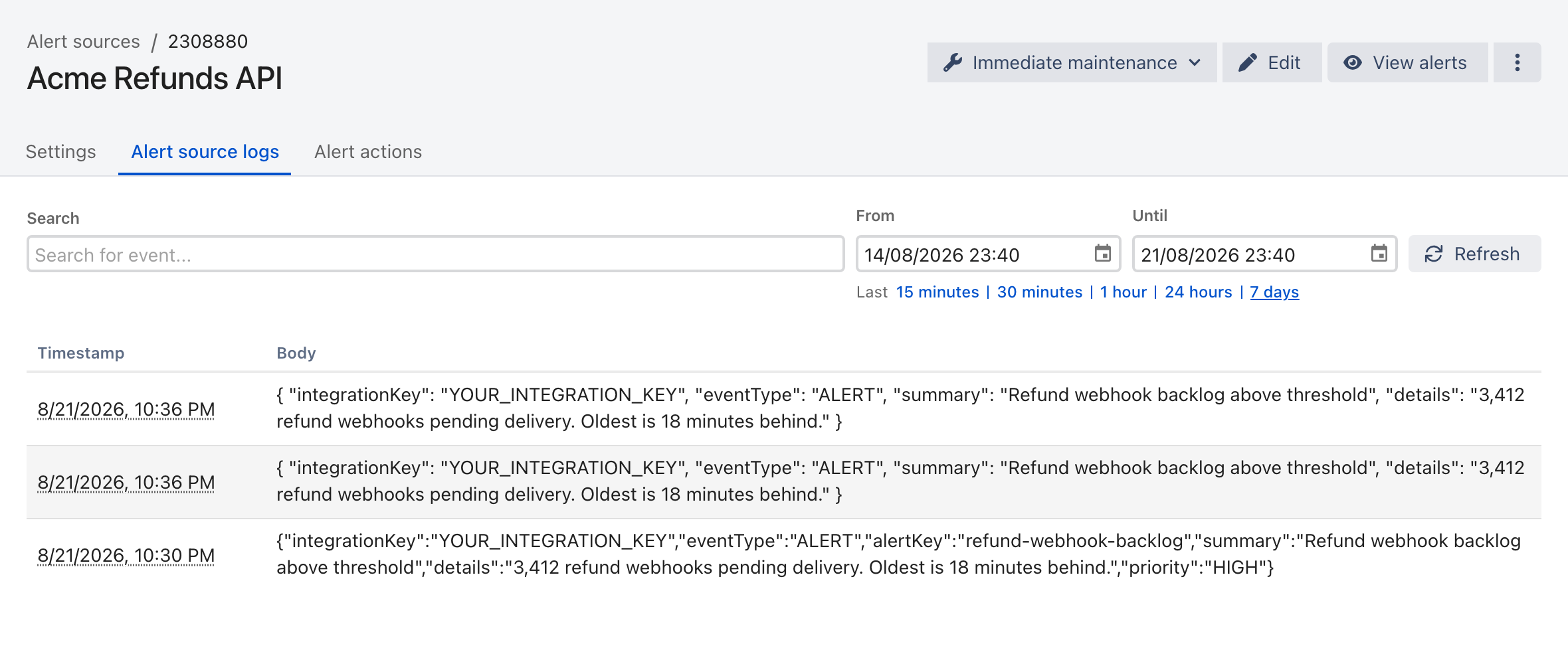
Open an alert source and select the **Alert source logs** tab.
Each row is one received event, with the raw payload as it arrived.
## What a log entry shows
| Column | Contains |
| ------------- | ---------------------------------------------------------------- |
| **Timestamp** | When ilert received the event, in your profile's time zone |
| **Body** | The raw payload as it arrived, before any template or filter ran |
Open an entry to see the converted event, the alert operations it triggered, and any outbound alert actions that fired as a result.
## Finding an event
Use **Search** to match on keywords in the payload — an alert key, a hostname, a summary fragment.
The range defaults to a narrow window. Widen it with **Last 24 hours** or **7 days** before concluding an event never arrived; entries take a short time to appear, so an event sent seconds ago may not be listed yet.
{% hint style="info" %}
Event history is available from **March 2022**, and alert correlations from **December 2023**. Logs are not available for every integration type.
{% endhint %}
## Reading the result
A `202 Accepted` from the Events API means your event was queued, not that an alert was created. An event that was filtered out, or grouped into an alert that was already open, returns exactly the same response. The log is where those outcomes are visible:
* **The event is listed and an alert exists** — working as intended.
* **The event is listed but no new alert appeared** — it was grouped into an open alert, or an event filter rejected it. Check **Grouped events** on the open alert, then the source's filter conditions.
* **The event is not listed at all** — it never reached this alert source. The integration key is wrong, the payload is malformed, or the request never left your network.
For the full diagnostic path, see [Troubleshooting](/getting-started/quick-start-guide/troubleshooting.md).
---
# Agent Instructions
This documentation is published with GitBook. GitBook is the documentation platform designed so that both humans and AI agents can read, navigate, and reason over technical content effectively. Learn more at gitbook.com.
## Querying This Documentation
If you need additional information that is not directly available in this page, you can query the documentation by asking a question.
Perform an HTTP GET request on the following URL with the `ask` and `goal` query parameters:
```
GET https://docs.ilert.com/alerting/working-with-alerts/alert-source-logs.md?ask=&goal=
```
`ask` is the immediate question: it should be specific, self-contained, and written in natural language.
`goal` is what the user is ultimately trying to achieve, the reason they need the answer. Sharing it helps GitBook give you a better, more relevant answer. A goal is most helpful when it describes the outcome the user wants rather than restating the question. For example, with `ask=how do I create an API token`, a goal like `automate deployments from our CI pipeline` lets GitBook tailor the answer to that use case.
The response will contain a direct answer to the question and relevant excerpts and sources from the documentation.
Use this mechanism when the answer is not explicitly present in the current page, you need clarification or additional context, or you want to retrieve related documentation sections.