# Google Chat Webhooks

{% hint style="warning" %}
If possible we suggest to use [ilert’s Google Chat app](/chatops/google-chat/google-chat-app.md) for the setup, this guide and integration is only suggested in case you do not want to grant any permissions to ilert
{% endhint %}

{% hint style="info" %}
To receive messages in a thread, see [Use threads in Chat](#use-threads-in-chat).
{% endhint %}

## In Google Chat

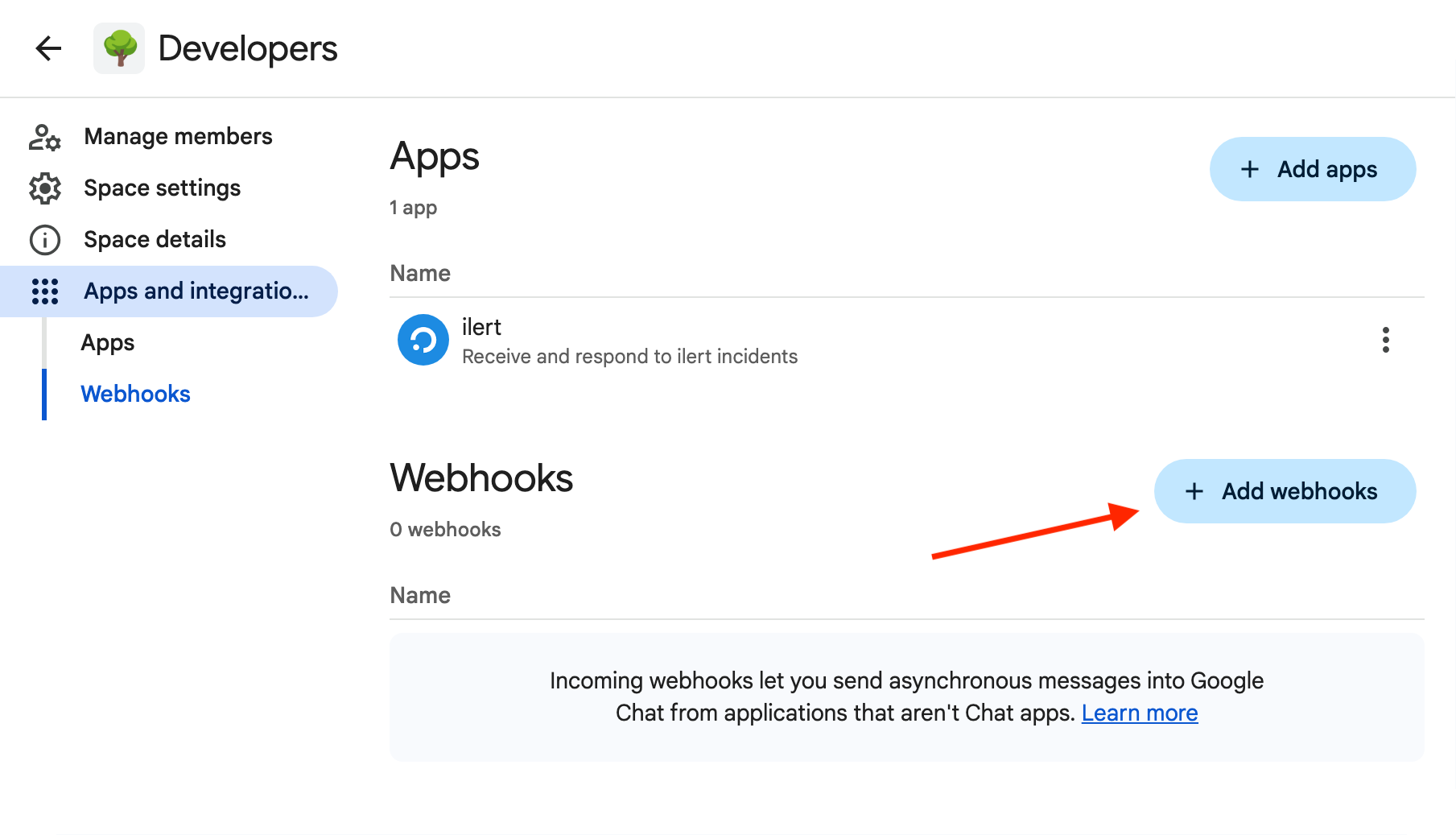
1. Go to “Apps and integrations” of the space where you want to receive alerts.

<figure><img src="/files/7u5PVtGjQJKy4qC5PhZX" alt="" width="375"><figcaption></figcaption></figure>

2. Click “Add webhooks”.

<figure><img src="/files/Jx4IVPSNviYgl7wJeYKM" alt="" width="563"><figcaption></figcaption></figure>

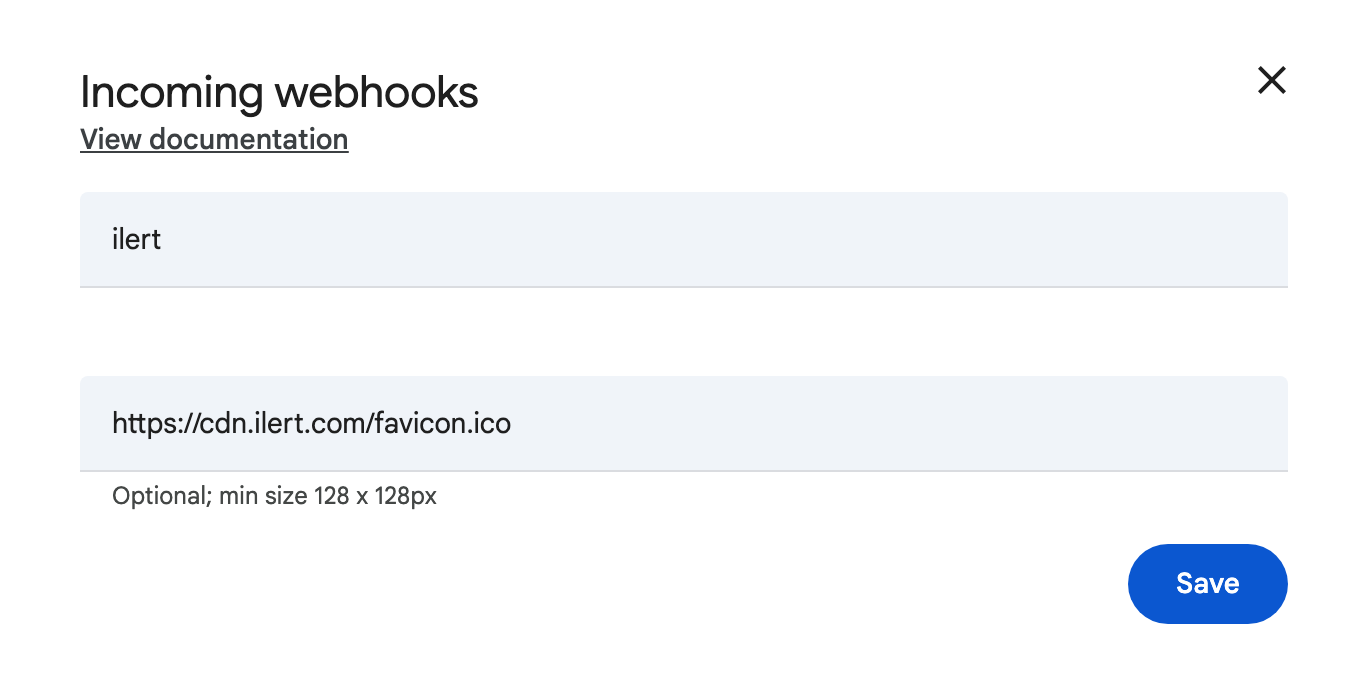
3. Enter a name and an optional avatar URL. Use <https://cdn.ilert.com/favicon.ico> for the ilert icon. Click “Save”.

<figure><img src="/files/ynFnFeg3M512spSLOQZl" alt="" width="375"><figcaption></figcaption></figure>

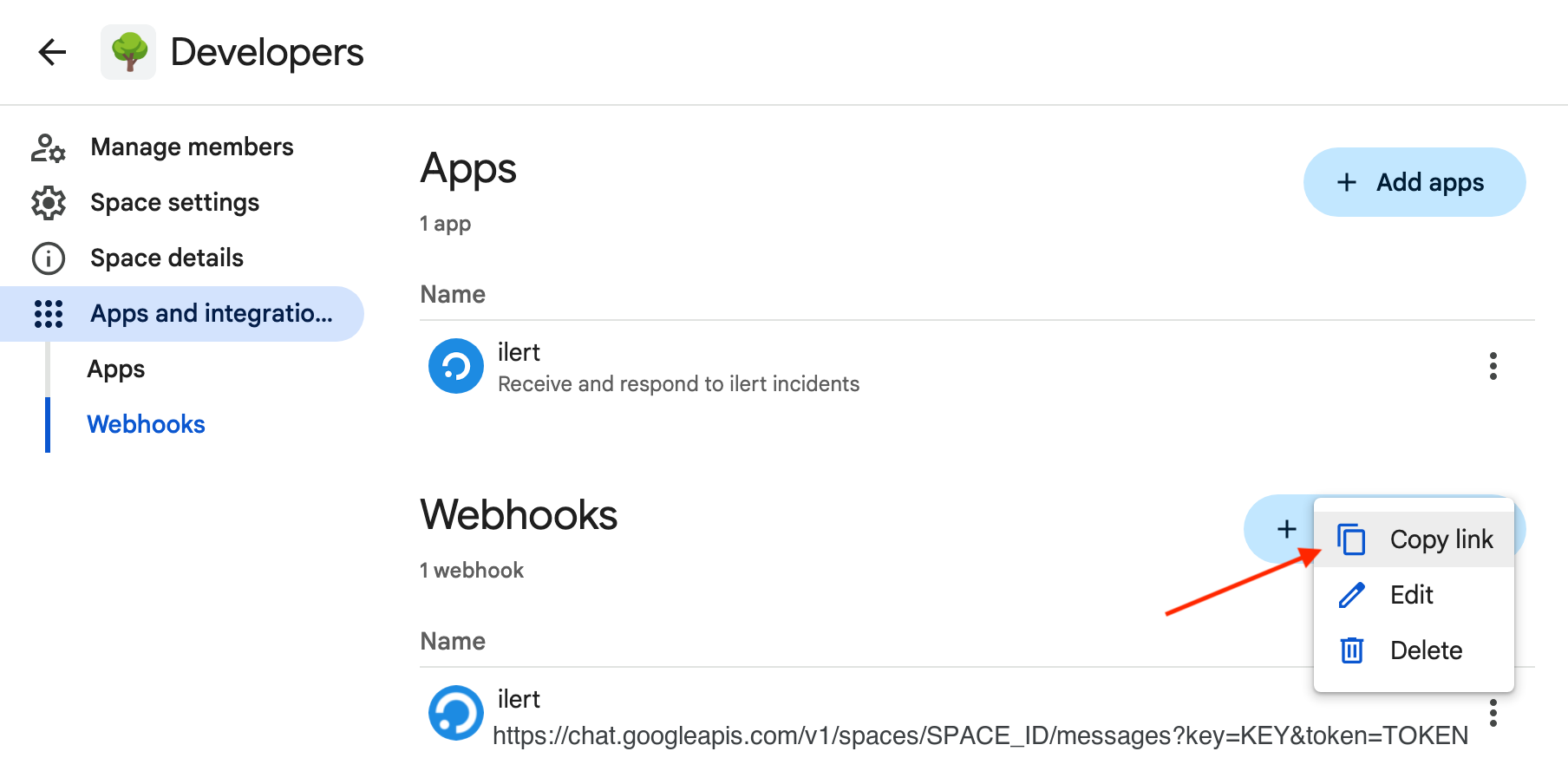
4. Copy the link of the created webhook.

<figure><img src="/files/xqCjnzOENjan58rO2XK3" alt="" width="563"><figcaption></figcaption></figure>

## In ilert

1. Go to [Alert Actions](https://app.ilert.com/account-search?overwrite-browser-uri=%2Fconnector%2Flist-all) in ilert. Click “Create new alert action”.

<figure><img src="/files/AjIrV5A475n0cHcWs4ux" alt="" width="563"><figcaption></figcaption></figure>

2. Choose Google Chat from the list. Select the “Use webhook” box.

<figure><img src="/files/aAqlzOvfTidOsyr6Mqee" alt="" width="563"><figcaption></figcaption></figure>

3. Click “Next” and select an alert source whose alert’s updates you want to publish to Google Chat spaces and desired event types. Click “Next”.

<figure><img src="/files/lL8DCAGLHDir8XIhe07Y" alt="" width="563"><figcaption></figcaption></figure>

4. Set up conditional execution or skip that for now.
5. Paste the webhook link that is copied earlier.

<figure><img src="/files/iNQSLEPaYv6Wmwk9eXSS" alt="" width="563"><figcaption></figcaption></figure>

6. Click “Save” and you can review and adjust the settings. Click “Save” again to get the detail view of the newly created alert action.

## Use threads in Chat

To enable threading, add `&messageReplyOption=REPLY_MESSAGE_FALLBACK_TO_NEW_THREAD` to the end of the webhook link. E.g., if the webhook link is:

[https://chat.googleapis.com/v1/spaces/AAPQRs0mVWx/messages?key=KKKKKK\&token=TTTTTT](/chatops/google-chat/incoming-webhook.md)

Use:

[https://chat.googleapis.com/v1/spaces/AAPQRs0mVWx/messages?key=KKKKKK\&token=TTTTT&#x54;**\&messageReplyOption=REPLY\_MESSAGE\_FALLBACK\_TO\_NEW\_THREAD**](/chatops/google-chat/incoming-webhook.md)


---

# Agent Instructions: Querying This Documentation

If you need additional information that is not directly available in this page, you can query the documentation dynamically by asking a question.

Perform an HTTP GET request on the current page URL with the `ask` query parameter:

```
GET https://docs.ilert.com/chatops/google-chat/incoming-webhook.md?ask=<question>
```

The question should be specific, self-contained, and written in natural language.
The response will contain a direct answer to the question and relevant excerpts and sources from the documentation.

Use this mechanism when the answer is not explicitly present in the current page, you need clarification or additional context, or you want to retrieve related documentation sections.