> For the complete documentation index, see [llms.txt](https://docs.ilert.com/llms.txt). Markdown versions of documentation pages are available by appending `.md` to page URLs; this page is available as [Markdown](https://docs.ilert.com/chatops/google-chat/look-up-who-is-on-call-in-google-chat.md).
# Look up who is on call in Google Chat
Answer "who do I page?" inside Google Chat with the /il-oncall slash command, for an alert source or an escalation policy.
{% hint style="info" %}
**Install and connect the ilert app first**
An **Admin** or **Account owner** connects the app once, as described in the [Google Chat app guide](/chatops/google-chat/google-chat-app.md).
{% endhint %}
`/il-oncall` answers who is on call, in the space you type it in.
There are two ways to set it up:
| | Who can look up | What you configure |
| -------------- | ------------------------------------------------ | --------------------------------------------------------- |
| **Restricted** | Google Chat users who also have an ilert account | Nothing beyond connecting the app |
| **Open** | Anyone in the Workspace | A Google Chat alert source with the on-call option ticked |
## Option 1: Restrict to Google Chat users with an ilert account
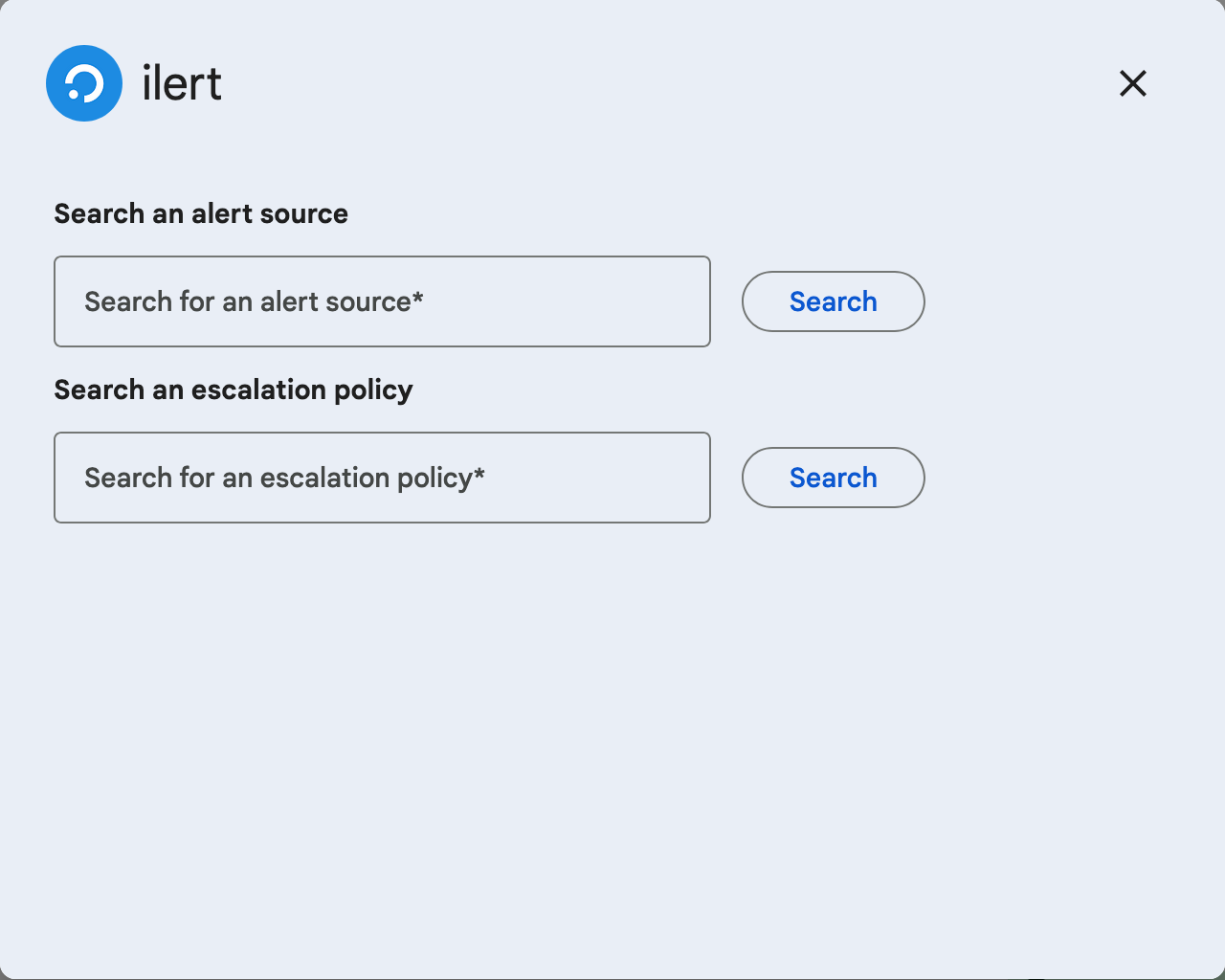
Anyone whose ilert username or email address matches their Google address can type `/il-oncall` in a space the app has been added to. The dialog offers **Search an alert source** and **Search an escalation policy**, each with its own **Search** button, over what that person may read in ilert.
Each field has its own Search button.
In a space that belongs to a Google Chat alert source, the dialog opens with that source's on-call people already listed, and the search boxes underneath.
## Option 2: Let anyone in the Workspace look up who is on call
Useful in a team's own space: colleagues ask who to page without knowing the name of an escalation policy, and without an ilert account.
{% stepper %}
{% step %}
## Create or open a Google Chat alert source
Follow [Create alerts in Google Chat](/chatops/google-chat/create-alerts-in-google-chat.md#option-2-let-anyone-in-the-workspace-raise-an-alert) to create one, or open the **Google Chat settings** tab of an existing Google Chat alert source. One alert source covers both commands.
{% endstep %}
{% step %}
## List the spaces and the escalation policies
Under **Google Chat spaces**, add the spaces where the lookup should work. Under **Escalation policies**, choose the policies it should report on, at most 10. With none chosen, the alert source's own escalation policy is used.
{% endstep %}
{% step %}
## Turn the lookup on
Under **/il-oncall slash command configuration**, tick **Let Google Chat users without an ilert account see who is on-call using the /il-oncall slash command**.
This also ticks **Include the primary phone number of the user who is on-call in on-call posts**. Untick it if the phone numbers of your on-call people should not be shown to everyone in the space.
{% endstep %}
{% step %}
## Save
Click **Continue setup** on a new alert source, or **Save** on one that is already set up.
{% endstep %}
{% endstepper %}
Anyone in those spaces can now type `/il-oncall` and get the list, without a search.
## What the answer shows
* One block per escalation policy, with the people on call.
* **Only the first escalation level** of each policy. Later levels, and the delays between them, are not shown — the answer is "who gets paged first", not the whole policy.
* A user rule shows that user as always on call; a schedule shows the current shift and when it ends; a team rule lists its members.
* Phone numbers, where you allowed them.
* A footer names the time zone the times are given in — yours, as Google Chat reports it.
## FAQ
### Someone without an ilert account gets "Failed to fetch data for your ilert account…"
The space's Google Chat alert source does not allow the open lookup. Tick **Let Google Chat users without an ilert account see who is on-call using the /il-oncall slash command** in that alert source's **Google Chat settings**.
### Searching an alert source answers with one escalation policy
A search by alert source reports that source's own escalation policy. The longer list you configured on a Google Chat alert source is what people see when they run `/il-oncall` in one of its spaces without searching.
### Can I hide phone numbers?
Yes. Untick **Include the primary phone number of the user who is on-call in on-call posts**. People who do have an ilert account still see the numbers.
### Does the lookup show the whole escalation policy?
No, only its first level. Open the escalation policy in ilert to see every level.
---
# Agent Instructions
This documentation is published with GitBook. GitBook is the documentation platform designed so that both humans and AI agents can read, navigate, and reason over technical content effectively. Learn more at gitbook.com.
## Querying This Documentation
If you need additional information that is not directly available in this page, you can query the documentation by asking a question.
Perform an HTTP GET request on the following URL with the `ask` and `goal` query parameters:
```
GET https://docs.ilert.com/chatops/google-chat/look-up-who-is-on-call-in-google-chat.md?ask=&goal=
```
`ask` is the immediate question: it should be specific, self-contained, and written in natural language.
`goal` is what the user is ultimately trying to achieve, the reason they need the answer. Sharing it helps GitBook give you a better, more relevant answer. A goal is most helpful when it describes the outcome the user wants rather than restating the question. For example, with `ask=how do I create an API token`, a goal like `automate deployments from our CI pipeline` lets GitBook tailor the answer to that use case.
The response will contain a direct answer to the question and relevant excerpts and sources from the documentation.
Use this mechanism when the answer is not explicitly present in the current page, you need clarification or additional context, or you want to retrieve related documentation sections.