> For the complete documentation index, see [llms.txt](https://docs.ilert.com/llms.txt). Markdown versions of documentation pages are available by appending `.md` to page URLs; this page is available as [Markdown](https://docs.ilert.com/incidents-and-status-pages/incidents/responders-and-paging.md).
# Responders and paging
Bring people onto an incident, see who has actually joined, and name whoever is running it.
An [incident](/incidents-and-status-pages/incidents.md) has two kinds of member, and the difference is whether they are expected to do anything.
| | Expected to | Typically |
| -------------- | ----------------- | -------------------------------- |
| **Responder** | Work the incident | A handful of people |
| **Subscriber** | Watch it | As many stakeholders as you like |
An incident holds at most **100 responders**.
## Paging
Click **Page**, in the header or on the **Responders** section, to open the paging dialog. Choose one or more targets, add a message if it needs context, and send it. Paging runs on the same notification machinery as alerts, so people are reached however their [notification rules](/alerting/configure-alerting/notification-settings.md) say.
| Target | Who is reached |
| --------------------- | ---------------------------------------------------------------- |
| **Escalation policy** | Its levels in order, with their timeouts, until somebody answers |
| **On-call schedule** | Whoever is on call for it right now |
| **User** | That one person |
| **Team** | Every member at once |
You can mix targets in a single page, which is how an incident spanning three teams gets all three in one action.
When someone joins, the escalation that reached them stops. Other escalations on the incident carry on until each is answered separately.
{% hint style="info" %}
Paging a team notifies everyone in it. The first person to join answers for the team, and the rest are told no action is needed.
{% endhint %}
## Who has actually joined
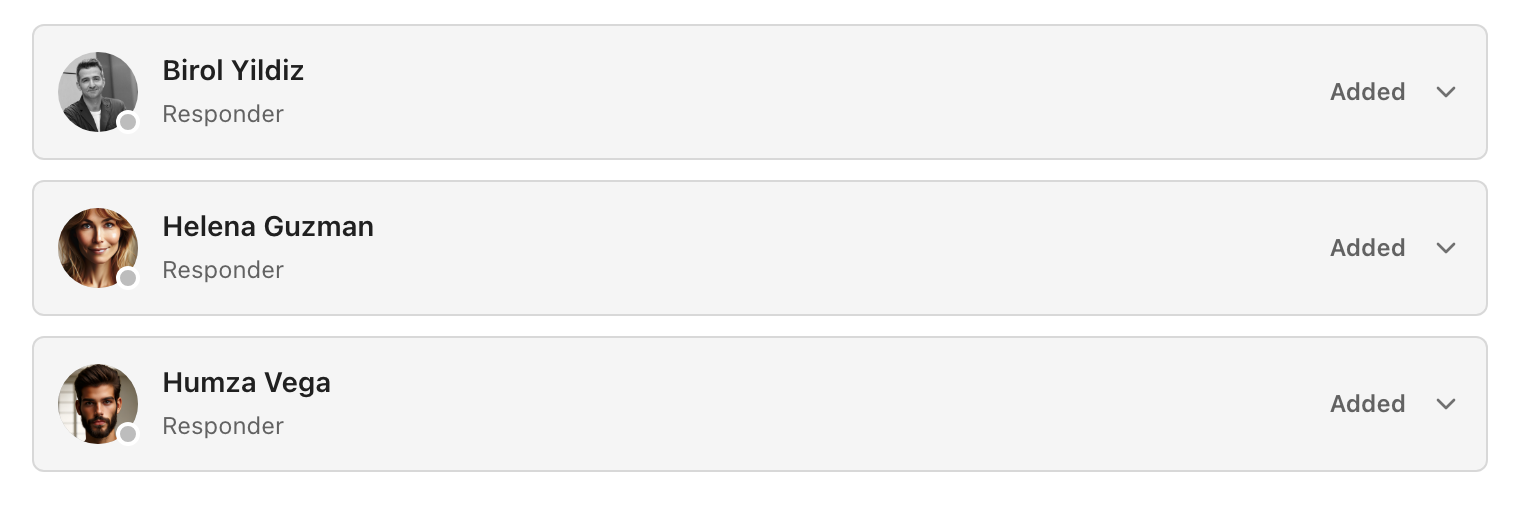
Being paged is not the same as being there, so every responder carries a status.
Each card shows the role on the left and the status on the right.
| Status | Means |
| ------------ | -------------------------------------------------------------------------------------- |
| **Added** | On the incident, but never paged — added directly, or carried over from a linked alert |
| **Notified** | Paged, and not yet answered |
| **Joined** | Answered and working it |
| **Declined** | Answered, and cannot take it |
The incidents list compresses this to one number per incident: `1/3` means three people were paged and one has joined.
To add yourself without waiting to be paged, click **Join**. Responders also arrive automatically from alerts — [declaring from an alert](/incidents-and-status-pages/incidents/declare-an-incident.md#declare-from-an-alert) or [linking one](/incidents-and-status-pages/incidents/declare-an-incident.md#linking-alerts-to-an-incident) brings that alert's responders with it.
## The Incident Commander
One responder can be the **Incident Commander**: the person who owns the response, decides, and delegates. It is a single role — giving it to someone takes it from whoever held it.
Hover a responder card and click **Make Incident Commander**. The card then shows the role in place of **Responder**.
{% hint style="info" %}
The incident view offers this one role and no others: everyone else on the incident is a **Responder**. Who handles communications, or talks to the executives, is the Incident Commander's to decide and the timeline's to record.
{% endhint %}
## Subscribers
Subscribers get the incident's activity without being asked to work it — managers, customer success, anyone who needs to know rather than to act. Click **Manage** in the **Subscribers** section to change the list.
{% hint style="info" %}
A subscriber is subscribed to one incident. For standing visibility across many, subscribe to a [service](/incidents-and-status-pages/services.md) or a [status page](/incidents-and-status-pages/status-pages.md) instead.
{% endhint %}
---
# Agent Instructions
This documentation is published with GitBook. GitBook is the documentation platform designed so that both humans and AI agents can read, navigate, and reason over technical content effectively. Learn more at gitbook.com.
## Querying This Documentation
If you need additional information that is not directly available in this page, you can query the documentation by asking a question.
Perform an HTTP GET request on the following URL with the `ask` and `goal` query parameters:
```
GET https://docs.ilert.com/incidents-and-status-pages/incidents/responders-and-paging.md?ask=&goal=
```
`ask` is the immediate question: it should be specific, self-contained, and written in natural language.
`goal` is what the user is ultimately trying to achieve, the reason they need the answer. Sharing it helps GitBook give you a better, more relevant answer. A goal is most helpful when it describes the outcome the user wants rather than restating the question. For example, with `ask=how do I create an API token`, a goal like `automate deployments from our CI pipeline` lets GitBook tailor the answer to that use case.
The response will contain a direct answer to the question and relevant excerpts and sources from the documentation.
Use this mechanism when the answer is not explicitly present in the current page, you need clarification or additional context, or you want to retrieve related documentation sections.