> For the complete documentation index, see [llms.txt](https://docs.ilert.com/llms.txt). Markdown versions of documentation pages are available by appending `.md` to page URLs; this page is available as [Markdown](https://docs.ilert.com/integrations/inbound-integrations/awx.md).
# Ansible Automation Platform AWX Integration
Enable multi-channel alerting for the Ansible Automation Platform.
[Ansible Automation Platform](https://www.redhat.com/en/technologies/management/ansible) is a comprehensive toolset for automating IT tasks, such as configuration management, application deployment, and orchestration. It provides a scalable framework for automating workflows across diverse systems and environments, simplifying complex processes and enhancing operational efficiency. Here's a guide on enabling ilert's multi-channel alerting for the Ansible Automation Platform.
## In ilert: Create an Ansible Automation Platform alert source
1. Go to **Alerting** → **Alert sources** and click **Create new alert source**.
2. Search for **Ansible Automation Platform**, click its tile, and click **Next**.
3. Give your alert source a name, optionally assign teams, and click **Next**.
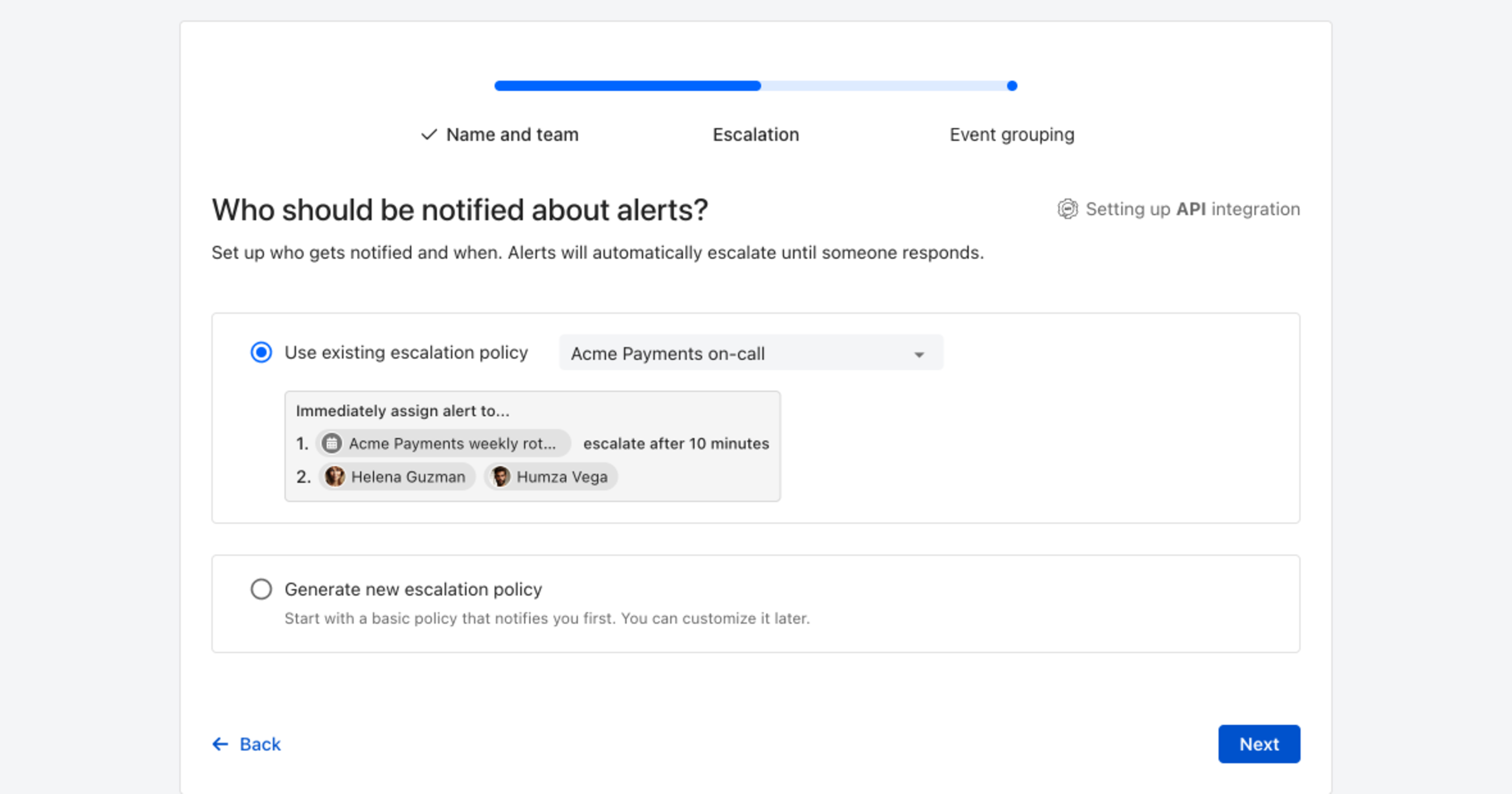
4. Choose who gets notified: select **Use existing escalation policy** and pick a policy, or **Generate new escalation policy** to start with a basic one that notifies you first. Click **Next**.
Pick an existing escalation policy, or generate a basic one without leaving the wizard.
5. Select **Default grouping** and click **Continue setup**. It groups events by the alert key the integration sets; the other [grouping options](/alerting/configure-alerting/alert-sources.md#event-grouping) are easier to judge once events are arriving.
6. The next page shows more settings, such as notification priority and alert templates. Click **Finish setup** for now; you can change them later.
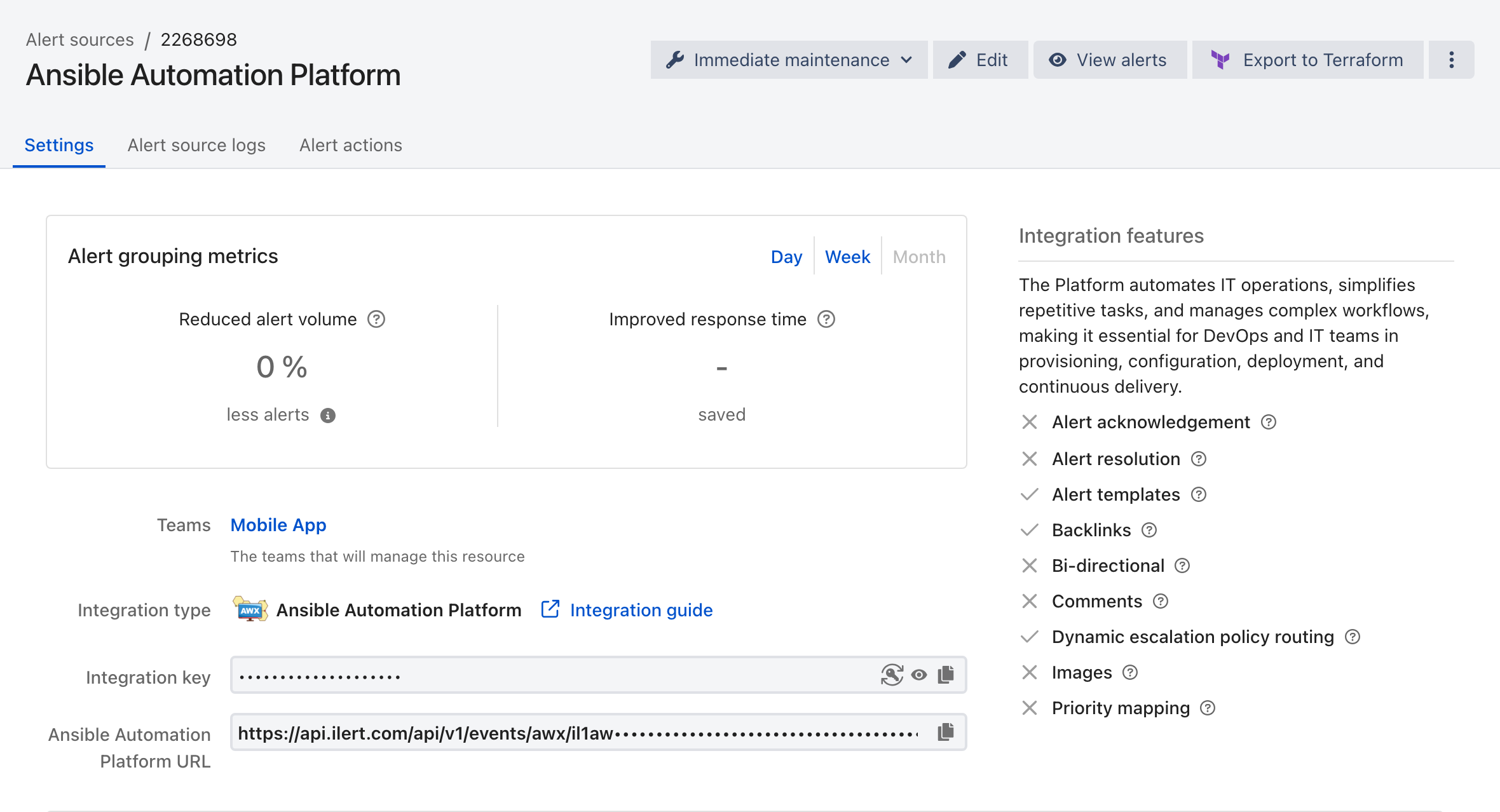
7. On the final page, ilert shows the integration key and URL for this alert source. You will need them later in this guide.
## In Ansible Automation Platform: Create a Notification Template
1. On the sidebar, click on **Notifications**.
2. On the next page, click **Add** to add a new notification template.
3. Enter a **Name** and change the **Type** to 'Webhook.'
4. Scroll down to the **Type Details** and enter the previously created alert source URL into the **Target URL** field.
5. Change the **HTTP Method** to 'POST'.
6. Optional: You can send a test notification by clicking the **Test** button.
7. Navigate back to your projects and click on one of the desired projects.
8. On the navigation bar, click on **Notifications** and enable 'Failure' for the just-created notification template.
## FAQ
**Will alerts in ilert be resolved automatically?**
Unfortunately, the Ansible Automation Platform notification template is not compatible with ilert's resolve event.
---
# Agent Instructions
This documentation is published with GitBook. GitBook is the documentation platform designed so that both humans and AI agents can read, navigate, and reason over technical content effectively. Learn more at gitbook.com.
## Querying This Documentation
If you need additional information that is not directly available in this page, you can query the documentation by asking a question.
Perform an HTTP GET request on the following URL with the `ask` and `goal` query parameters:
```
GET https://docs.ilert.com/integrations/inbound-integrations/awx.md?ask=&goal=
```
`ask` is the immediate question: it should be specific, self-contained, and written in natural language.
`goal` is what the user is ultimately trying to achieve, the reason they need the answer. Sharing it helps GitBook give you a better, more relevant answer. A goal is most helpful when it describes the outcome the user wants rather than restating the question. For example, with `ask=how do I create an API token`, a goal like `automate deployments from our CI pipeline` lets GitBook tailor the answer to that use case.
The response will contain a direct answer to the question and relevant excerpts and sources from the documentation.
Use this mechanism when the answer is not explicitly present in the current page, you need clarification or additional context, or you want to retrieve related documentation sections.