> For the complete documentation index, see [llms.txt](https://docs.ilert.com/llms.txt). Markdown versions of documentation pages are available by appending `.md` to page URLs; this page is available as [Markdown](https://docs.ilert.com/integrations/inbound-integrations/azure-alerts/activity-logs.md).
# Azure Activity Logs
Create alerts in ilert based on Azure Activity Logs queries.
## In ilert: Create an Azure Alerts alert source
1. Go to **Alerting** → **Alert sources** and click **Create new alert source**.
2. Search for **Azure Alerts**, click its tile, and click **Next**.
3. Give your alert source a name, optionally assign teams, and click **Next**.
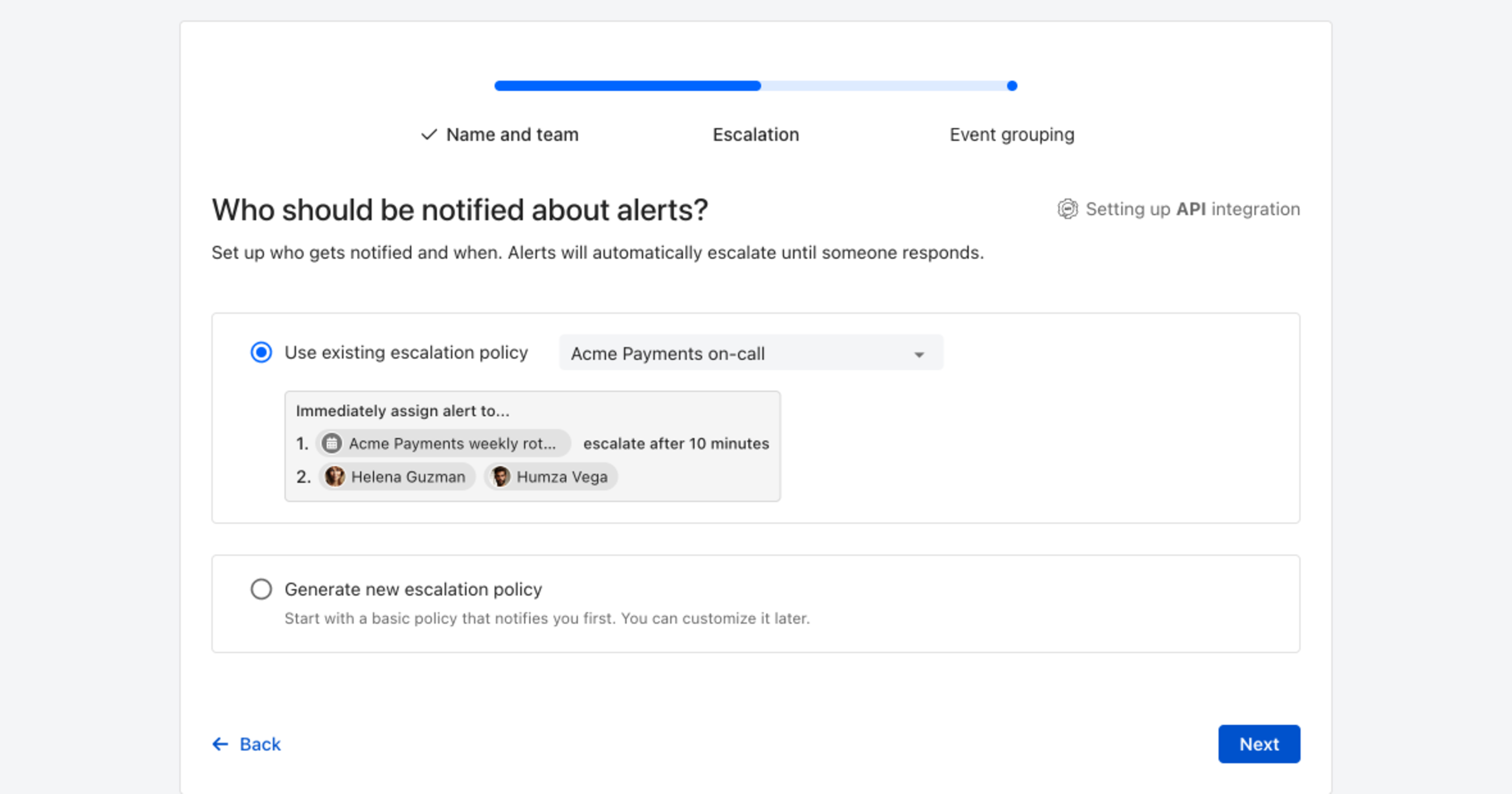
4. Choose who gets notified: select **Use existing escalation policy** and pick a policy, or **Generate new escalation policy** to start with a basic one that notifies you first. Click **Next**.
Pick an existing escalation policy, or generate a basic one without leaving the wizard.
5. Select **Default grouping** and click **Continue setup**. It groups events by the alert key the integration sets; the other [grouping options](/alerting/configure-alerting/alert-sources.md#event-grouping) are easier to judge once events are arriving.
6. The next page shows more settings, such as notification priority and alert templates. Click **Finish setup** for now; you can change them later.
7. On the final page, ilert shows the integration key and URL for this alert source. You will need them later in this guide.
## In Azure: Create an alert
1. Go to [**Azure Portal**](https://portal.azure.com) and then to **Activity log.**

2. Find and click on the activity log for which you'd like to create an alert.

3. On the modal window click on the **New alert rule** button\*\*.\*\*

4. On the next page change the **Condition** for the alerts and click on the **Add action groups.**

5. On the modal window click on the **Create action group** button.

6. On the next page name the group e.g. **iLert** and click on the **Actions** tab.

7. **\*\*On the** Actions **tab**, **click on the** Action type **and choose** Webhook.\*\*

8. **On the modal window** in the **URI** section and **\*\*paste the** Webhook URL **that you generated in ilert and click on** OK\*\*. Name the action e.g.\*\* ilert **and click on the** Review + create\*\* button.

9. On the next page click on the **Create** button.

10. On the next page scroll down to the **Alert rule details** section, name the alert rule and click on the **Create alert rule** button.

11. Finished! Your Azure Activity Logs alerts will now create alerts in ilert.
## FAQ
**Will alerts in ilert be resolved automatically?**
No, unfortunately Azure Sentinel alert do not fire resolve events.
**Can I connect Azure Alerts with multiple alert sources from ilert?**
Yes, simply create more alert rules in Azure Alerts
---
# Agent Instructions
This documentation is published with GitBook. GitBook is the documentation platform designed so that both humans and AI agents can read, navigate, and reason over technical content effectively. Learn more at gitbook.com.
## Querying This Documentation
If you need additional information that is not directly available in this page, you can query the documentation dynamically by asking a question.
Perform an HTTP GET request on the current page URL with the `ask` query parameter, and the optional `goal` query parameter:
```
GET https://docs.ilert.com/integrations/inbound-integrations/azure-alerts/activity-logs.md?ask=&goal=
```
`ask` is the immediate question: it should be specific, self-contained, and written in natural language.
`goal` is optional and describes the broader end goal you are ultimately trying to accomplish on behalf of the user. GitBook uses it to tailor the answer towards what is most useful for that goal.
The response will contain a direct answer to the question and relevant excerpts and sources from the documentation.
Use this mechanism when the answer is not explicitly present in the current page, you need clarification or additional context, or you want to retrieve related documentation sections.