> For the complete documentation index, see [llms.txt](https://docs.ilert.com/llms.txt). Markdown versions of documentation pages are available by appending `.md` to page URLs; this page is available as [Markdown](https://docs.ilert.com/integrations/inbound-integrations/kafka.md).
# Kafka Integration
Send alerts based on Kafka metrics (e.g., consumer lag, broker health) into ilert to notify on-call engineers and trigger fast escalation workflows.
[Apache Kafka](https://kafka.apache.org/) is a distributed event store and stream-processing platform. It is an open-source system developed by the Apache Software Foundation and written in Java and Scala. The project aims to provide a unified, high-throughput, low-latency platform for handling real-time data feeds. While ilert doesn't directly support a Kafka broker to accept the publishing of messages, it does support integrations specifically meant to connect Kafka topics to ilert events and provide the **ilagent** tool to connect your Kafka brokers to ilert without actually writing the code yourself.
## In ilert: Create an Apache Kafka alert source
1. Go to **Alerting** → **Alert sources** and click **Create new alert source**.
2. Search for **Apache Kafka**, click its tile, and click **Next**.
3. Give your alert source a name, optionally assign teams, and click **Next**.
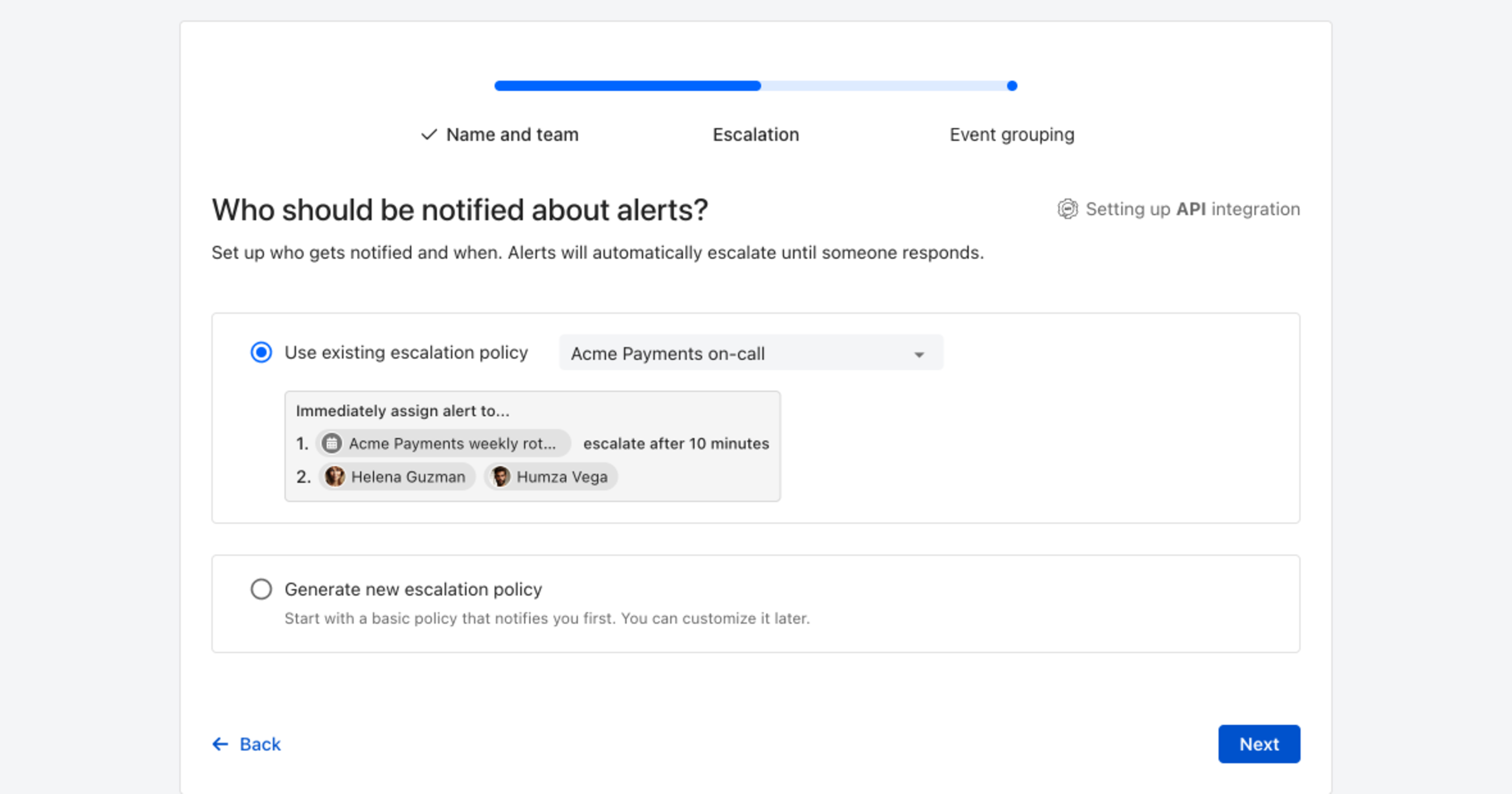
4. Choose who gets notified: select **Use existing escalation policy** and pick a policy, or **Generate new escalation policy** to start with a basic one that notifies you first. Click **Next**.
Pick an existing escalation policy, or generate a basic one without leaving the wizard.
5. Select **Default grouping** and click **Continue setup**. It groups events by the alert key the integration sets; the other [grouping options](/alerting/configure-alerting/alert-sources.md#event-grouping) are easier to judge once events are arriving.
6. The next page shows more settings, such as notification priority and alert templates. Click **Finish setup** for now; you can change them later.
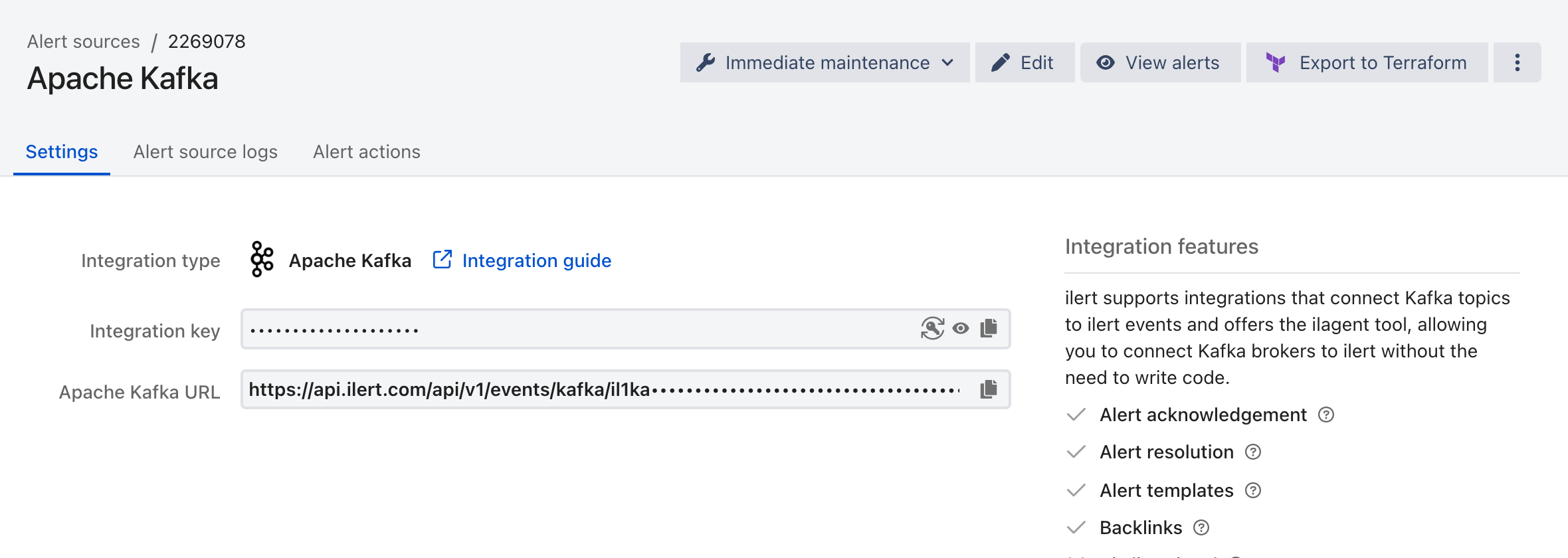
7. On the final page, ilert shows the integration key and URL for this alert source. You will need them later in this guide.
## In your environment
**Foreword**: you are free to use any Apache Kafka client to subscribe to your topics and wire them into an API call to `POST api.ilert.com/api/v1/kafka/{your-key-here}` (the endpoint accepts the payload of our generic [event API](https://api.ilert.com/api-docs/#tag/events/post/events). See also this [eventing guide](/developer-docs/api-samples/creating-alerts-through-events.md)).
However, if you don't wish to write your own software to wire subscriber and POST requests, you may use our *swiss-army-knife tool* **ilagent** which supports a Kafka mode where it subscribes to a specific Kafka topic to deliver events or heartbeats to ilert; it automatically uses the consumer (commit) offsets to support retries as well. It is open source and can be found on [GitHub](https://github.com/iLert/ilagent).
While you may [compile the binary](https://github.com/iLert/ilagent?tab=readme-ov-file#compile-the-binary-from-source) locally, we also support an official Docker image [ilert/ilagent](https://hub.docker.com/r/ilert/ilagent/tags) which can be used to get started quickly.
### Consume a topic and turn messages into events
{% hint style="warning" %}
Note: Your messages need to be in the format of the ilert event API schema; at least: `{integrationKey, eventType, summary}`
{% endhint %}
```
docker run -p 8977:8977 ilert/ilagent daemon -p 8977 -v -v \
--kafka_brokers kafka-bootstrap-host:9092 --kafka_group_id ilagentsub -e 'test-topic'
```
You can always check `docker run ilert/ilagent --help` for a full list of arguments.
If you don't want to provide the integrationKey in every message, you can overwrite with the `--event_key 'il1api123...'` argument.
### Transform any kind of message into events
{% hint style="warning" %}
Note: Your messages need to be JSON.
{% endhint %}
The **ilagent** also supports basic event key overwrites so you can map any message top-level keys into an event payload.
```
docker run -p 8977:8977 ilert/ilagent daemon -v -v \
--kafka_brokers kafka-bootstrap-host:9092 --kafka_group_id ilagentsub -e 'test-topic' \
--event_key 'il1api123...' \
--map_key_alert_key 'mCode' \
--map_key_summary 'comment' \
--map_key_etype 'state' \
--map_val_etype_alert 'SET' \
--map_val_etype_accept 'ACK' \
--map_val_etype_resolve 'CLR' \
--filter_key 'type' \
--filter_val 'ALARM'
```
The top sample code will subscribe to the test-topic and filter every message for `message.type == 'ALERT'` it will then map the field `message.state: SET => ALERT, ACK => ACCEPT and CLR => RESOLVE` to the `event.eventType` additionally `message.mCode` will be used as `event.alertKey` and `message.comment as event.summary`.
With these flexible arguments, you may quickly prototype or start your alert management without writing and deploying a custom mapper.
*If you are using this subscriber bridge for critical scenarios, make sure to read the section on Kafka at least once delivery guarantee in the ilagent readme.*
### FAQ
#### My local docker ilert/ilagent does not connect to my broker
In case your broker is running in docker as well, you cannot simply use localhost to connect, you will need to link your broker to your ilagent container with `--link broker-container-name:broker-container-name` then provide `-m broker-container-name` so that your ilagent actually connects to your broker.
---
# Agent Instructions
This documentation is published with GitBook. GitBook is the documentation platform designed so that both humans and AI agents can read, navigate, and reason over technical content effectively. Learn more at gitbook.com.
## Querying This Documentation
If you need additional information that is not directly available in this page, you can query the documentation by asking a question.
Perform an HTTP GET request on the following URL with the `ask` and `goal` query parameters:
```
GET https://docs.ilert.com/integrations/inbound-integrations/kafka.md?ask=&goal=
```
`ask` is the immediate question: it should be specific, self-contained, and written in natural language.
`goal` is what the user is ultimately trying to achieve, the reason they need the answer. Sharing it helps GitBook give you a better, more relevant answer. A goal is most helpful when it describes the outcome the user wants rather than restating the question. For example, with `ask=how do I create an API token`, a goal like `automate deployments from our CI pipeline` lets GitBook tailor the answer to that use case.
The response will contain a direct answer to the question and relevant excerpts and sources from the documentation.
Use this mechanism when the answer is not explicitly present in the current page, you need clarification or additional context, or you want to retrieve related documentation sections.